
Daily planner
 Daily planner
Your whole day on one screen – instead of five apps
Miracal is a daily planner built on your calendar: events from iCloud, Google and Outlook, your to-dos, the birthdays from your contacts and the weather appear in one timeline. One look in the morning and you know what's coming – no switching between apps.
- Calendar
- Reminders
- Contacts
- Weather
- Birthdays




Free download · iPhone & Android
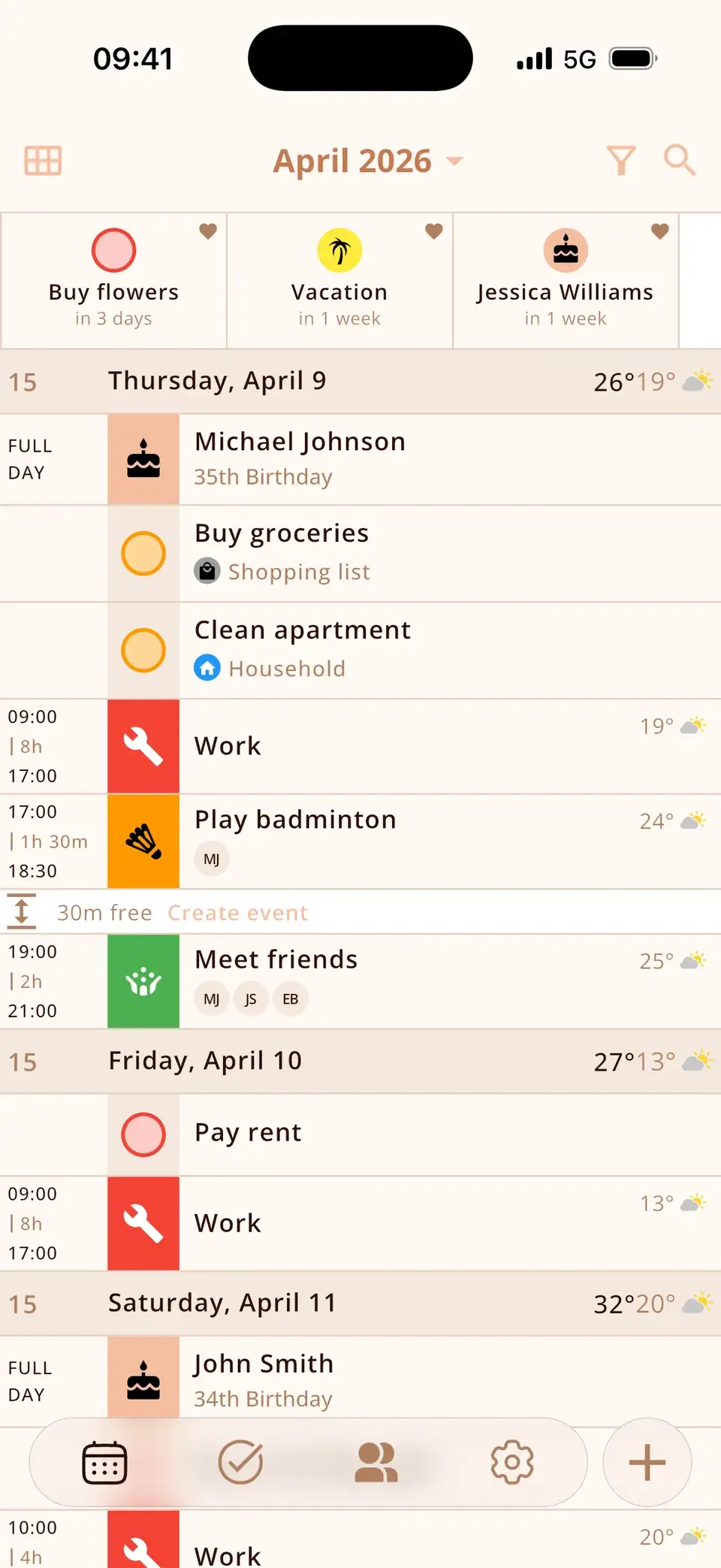
One timeline instead of five apps
Calendar, Reminders, Contacts, Weather and a birthday app – most people check five apps to know what their day looks like. Miracal puts it all in one list: events with icons, tasks with a due date at the top of their day, birthdays with the age, and the forecast next to each event (PRO).
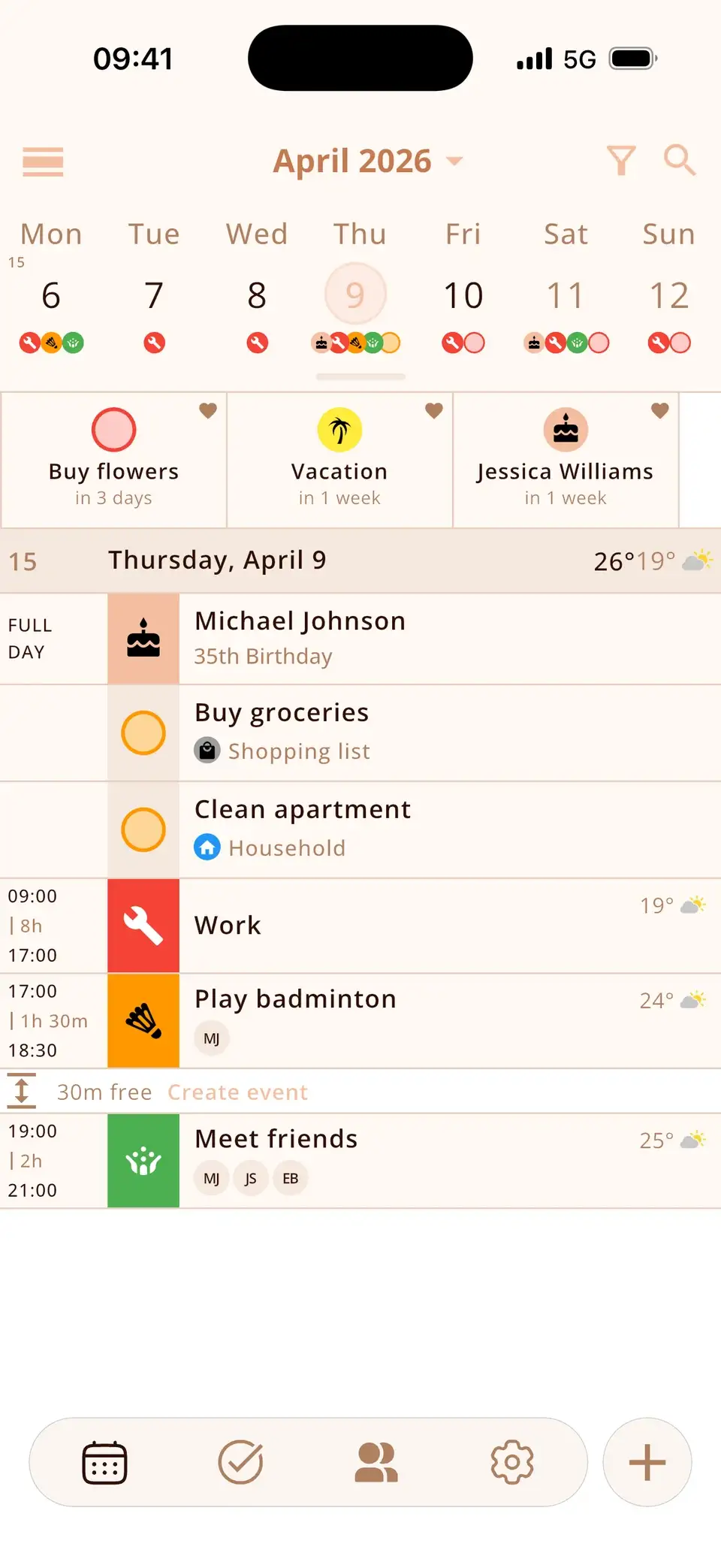
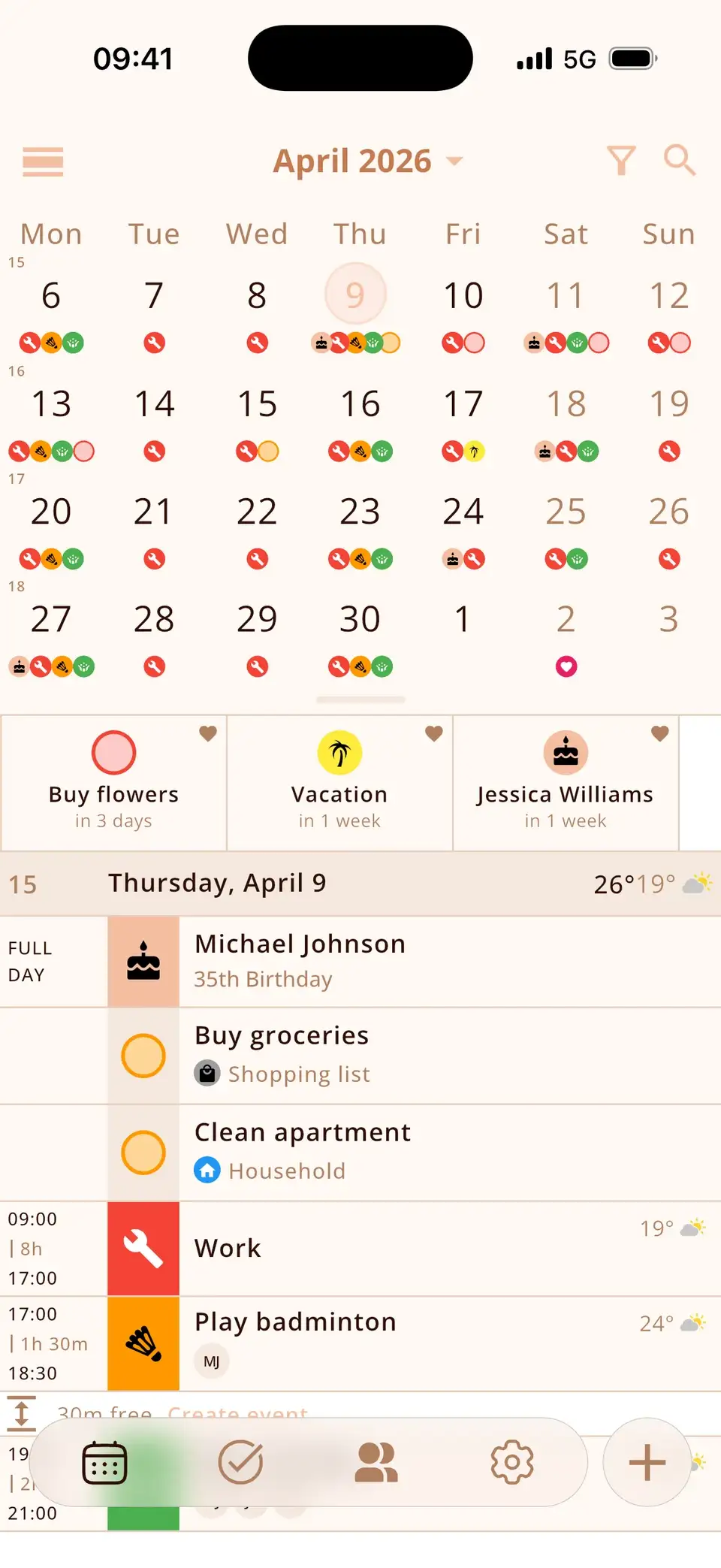
Plan the week, not just the day
Expand the week view to one, two or four weeks and see what's coming before it's suddenly tomorrow. Empty days can be hidden, and free slots show where there's still room – “2 h free”.
Your plan on the home screen
Widgets show today and tomorrow, your next events or upcoming birthdays – on the home screen and on the lock screen. You see your plan every time you pick up your phone. How to add the widget


What you'd otherwise forget
The small things that make a day go wrong are in the same view:
- Birthdays from your contacts, with age and a reminder on the day
- Countdowns for the trip, the exam or the deadline
- Tasks and lists with priorities and subtasks
- Icons added automatically while you type
Good to know
- The free version syncs one calendar and up to 10 open tasks. PRO unlocks all calendars, unlimited and recurring tasks and events, several reminders per event and the weather.
- Miracal is an app for iPhone and Android – there's no iPad, Mac or web version.
- It shows the calendars on your phone, including shared iCloud or Google calendars, but has no shared family calendar of its own.
What users say
“A very well-made calendar app. Very clear and comprehensive.”
Translated from German
“Everything you need – well organised, very intuitive. I love it!”
Translated from Spanish
Selected reviews from the App Store and Google Play. Excerpts are verbatim; translations are ours.
Frequently asked questions
What's the difference between a daily planner app and a calendar?
A calendar shows appointments. A daily planner also shows what else belongs to the day – tasks, birthdays, the weather. Miracal is both: it works with your existing calendars and adds the rest to the same view.
Does it work with Google Calendar and Outlook?
Yes, through the accounts on your phone – iCloud, Google and Outlook/Exchange, in both directions. The free version syncs one calendar, PRO all of them.
Is there a weekly planner view?
Yes. The week view expands from one to four weeks, and the day list shows everything in order.
Is Miracal free?
Yes. The free version includes one synced calendar, up to 10 open tasks, all birthdays, countdowns, widgets and dark themes – no ads, no account. PRO is available as a subscription or a one-time purchase.
Your whole day on one screen.
Free for iPhone and Android.
Free download · iPhone & Android