
Calendar
 Calendar
All your calendars in one app
Miracal shows iCloud, Google, Outlook and Exchange calendars in one view and syncs changes both ways – together with your tasks and birthdays. No Miracal account needed.


Free download · iPhone & Android
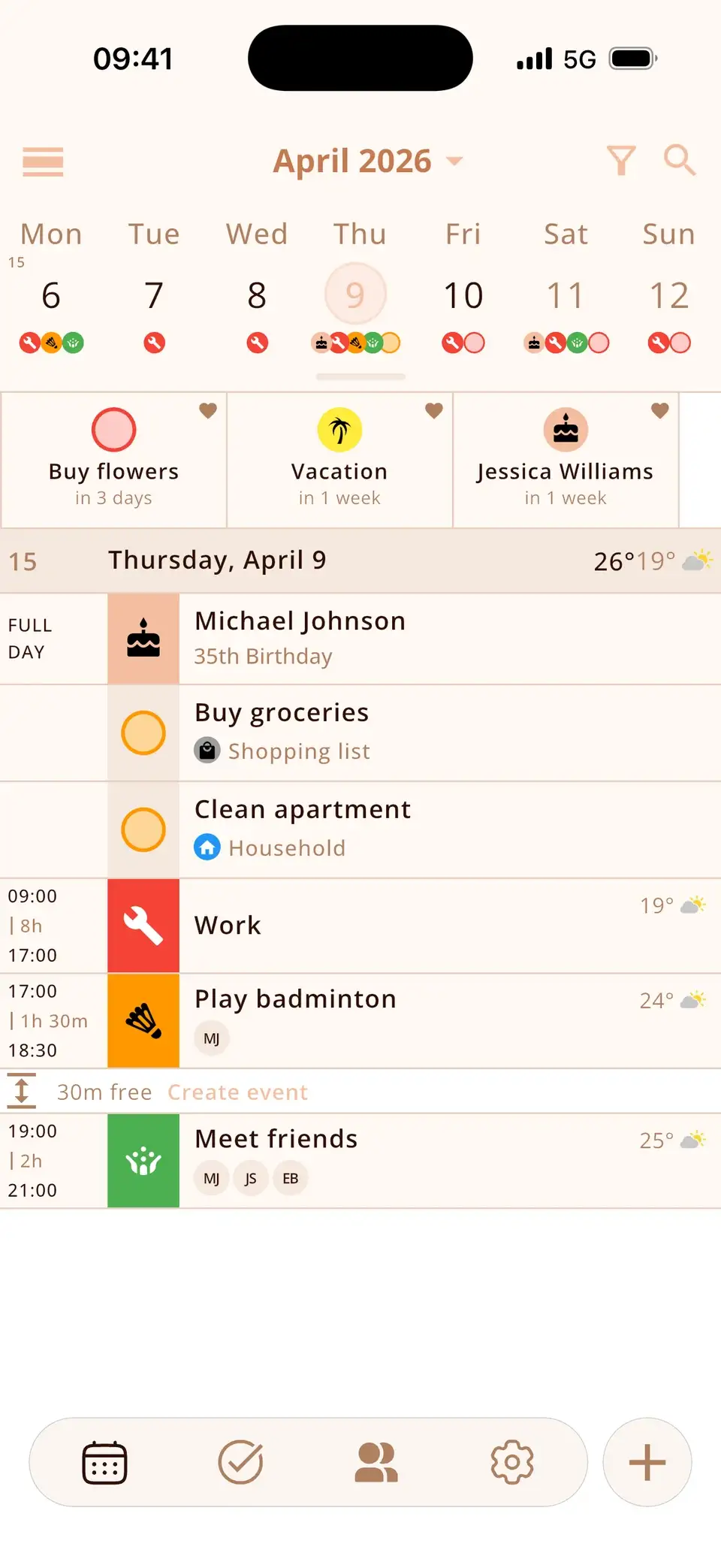
Works with the calendars you already use
Miracal reads the calendars on your phone. Edit an event and the change lands in the original calendar.
- iCloud, Google, Outlook and Exchange
- Two-way sync
- Subscribed calendars like holidays
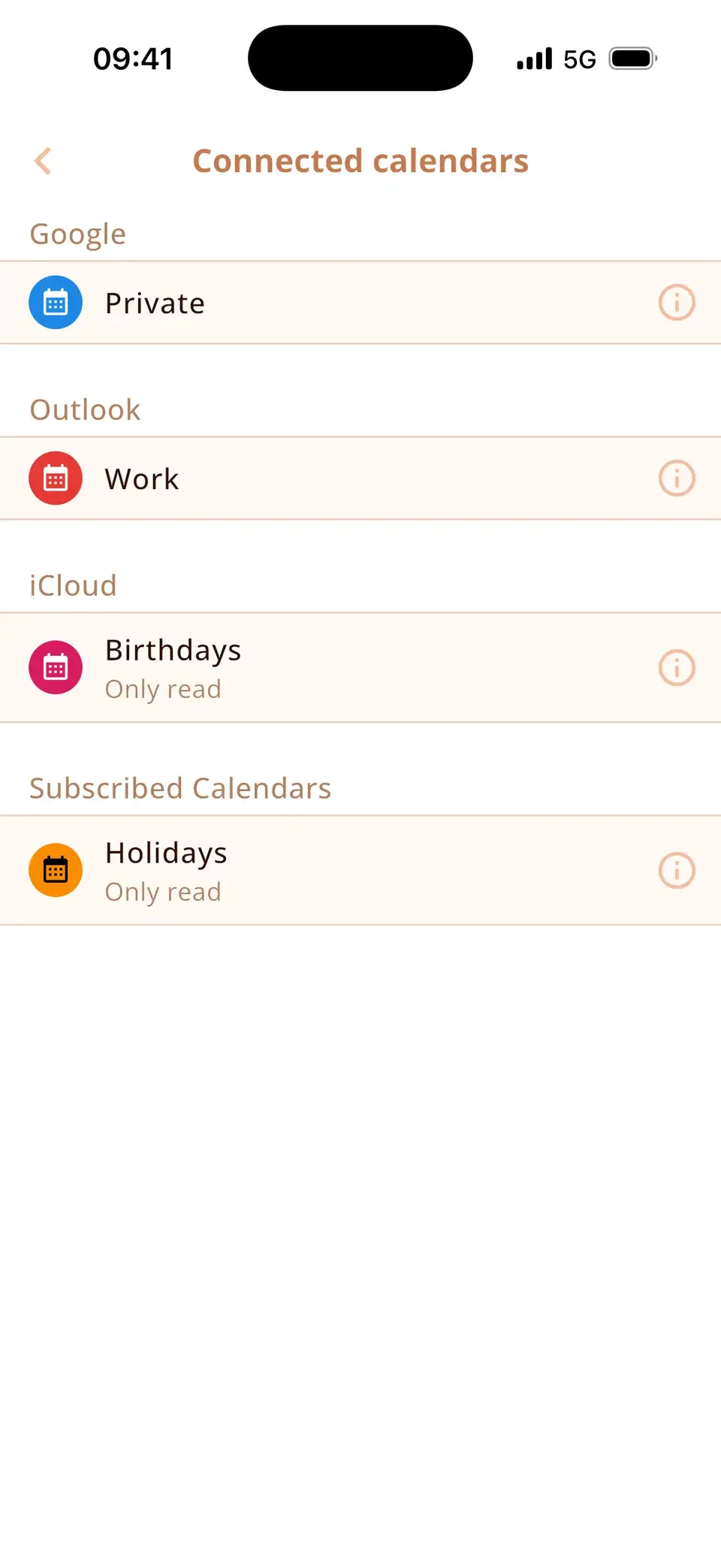
Today, this week or the next four
Scroll through your days as one list, or pull the week view open to see up to four weeks.
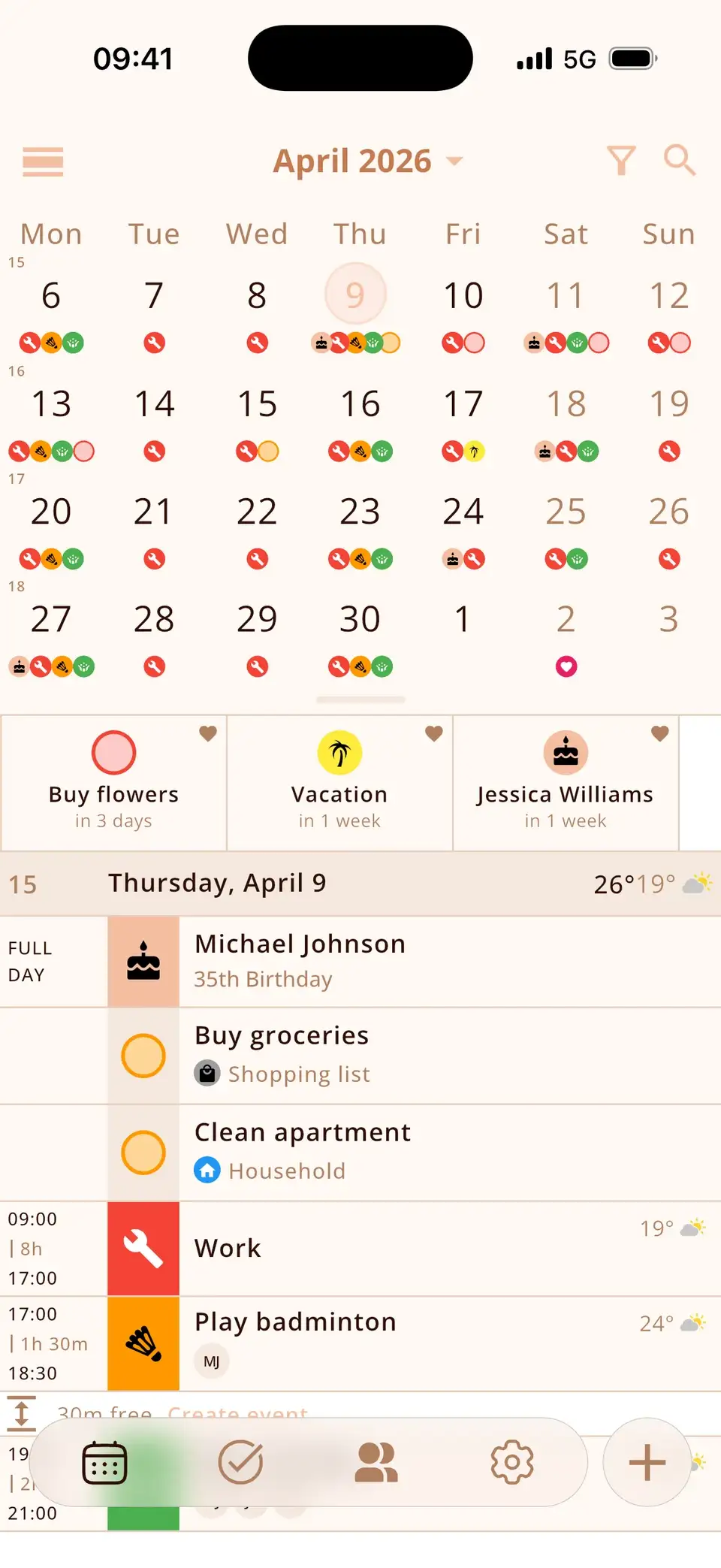
Free time, weather and icons
Small details that make planning faster.
- Free time between appointments – tap to plan
- Automatic icons for your events
- Weather for every day and event (PRO)
- Optional week numbers and dark themes
At a glance
Up to four weeks at a glance
Or an endless day list – empty days can be hidden.
All your calendars
Google, Outlook, iCloud and subscriptions.
Automatic icons
Event icons with PRO – picked for you as you type.
2,564
Spot free time
Tap the gap and plan right there.
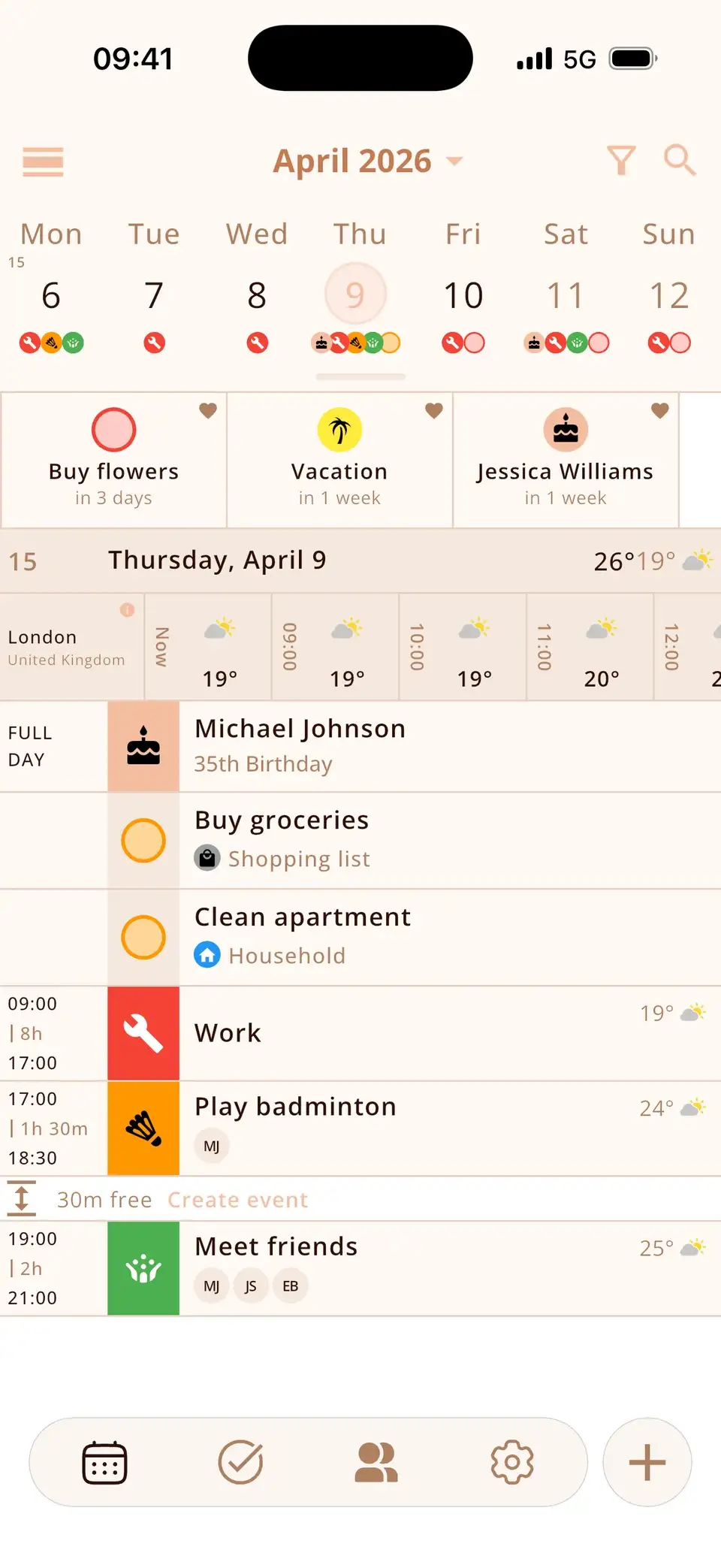
Plus
- Week numbers
- Coloured weekends
- Overlap warning
- Search with filters
- Meeting links
- 22 languages
Weather for every day (PRO)
Good to know
- The free version syncs one calendar; PRO syncs as many as you like.
- Recurring events are part of PRO.
- A missing Google or Outlook calendar has to be added in your phone's settings first.
- iPhone and Android only – no iPad, Mac or web version yet.
Details & how-to
How do I connect Google, iCloud or Outlook?
Miracal shows every calendar your phone already knows – there's no separate login in the app. If a Google, Outlook or Exchange calendar is missing, add the account once in your phone's settings (on iPhone under Calendar → Accounts, on Android under Accounts). It then appears in Miracal automatically.
Sync works in both directions: create, move or delete an event in Miracal and the change lands in the original calendar, and vice versa.
Which views are there?
- Day list: an endless list of days with all events, tasks and birthdays – empty days can be hidden.
- Week view: expandable from one to four weeks or a whole month.
- Countdowns: pinned events, tasks or birthdays at the top.
Optional extras: week numbers, coloured weekends and subscribed calendars such as public holidays.
Free time, overlaps and icons
Between two appointments Miracal shows how much time is free – tap it to plan something right there. Overlapping events get a warning. While you type a title, Miracal picks a matching icon automatically (in all 22 app languages). Search finds events, tasks and birthdays at once and can be filtered.
Free or PRO – what's the difference?
The free version shows one synced calendar, 133 event icons, 9 theme colours and one reminder per event. Miracal PRO adds unlimited calendars, recurring events, several reminders with lead times, 2,564 icons, custom colours and the weather forecast.
What users say
“A very well-made calendar app. Very clear and comprehensive.”
Translated from German
“Everything you need – well organised, very intuitive. I love it!”
Translated from Spanish
Selected reviews from the App Store and Google Play. Excerpts are verbatim; translations are ours.
Frequently asked questions
Can I see Google Calendar and iCloud together?
Yes. Add both accounts on your phone and Miracal shows them in one view. Changes are saved back to the right calendar.
Why don't I see my Outlook calendar?
Miracal shows the calendars your phone shares with other apps. On iPhone, add the account under Settings → Calendar → Accounts. On Android, turn on “Sync calendars” in the Outlook app or add the account under Settings → Accounts.
Does Miracal sync both ways?
Yes. Events you create, edit or delete in Miracal are saved in the original calendar. Read-only calendars like subscribed holidays can't be edited.
Can Miracal show week numbers and holidays?
Week numbers can be switched on in the settings. Holidays appear once a holiday calendar is subscribed on your phone.
All your calendars. One clear view.
Free for iPhone and Android – no account, no ads.
Free download · iPhone & Android