
The best planner apps in 2026
The best planner app depends on how you plan. To time-block your day on a timeline: Structured. For visual, low-stress planning with ADHD: Tiimo. If your to-do list comes first: TickTick or Todoist. Free and simple: Google Calendar with Tasks, or Apple Calendar with Reminders. And if you want the calendars you already have, plus tasks, birthdays and countdowns on one screen without a new account: Miracal.
The planner apps at a glance
| App | Best for | Platforms | Free version |
|---|---|---|---|
| Structured | Planning your day hour by hour on a timeline | iPhone, iPad, Mac, Apple Watch, Android, web | Yes; Pro as subscription or lifetime |
| Tiimo | Visual, low-stress planning – built for ADHD and autism | iPhone, iPad, Apple Watch, Android, web | Yes; Pro as subscription |
| TickTick | To-do lists with a calendar, habits and a focus timer | iPhone, Android, Mac, Windows, web | Yes, with limits; Premium for more |
| Todoist | Projects and long to-do lists | iPhone, Android, Mac, Windows, web | Yes, up to 5 projects; Pro for more |
| Google Calendar + Tasks | Free and simple, on every device | Android, iPhone, web | Completely free |
| Apple Calendar + Reminders | Built into the iPhone | iPhone, iPad, Mac, Apple Watch | Completely free |
| Miracal | Your calendars, tasks, birthdays and countdowns on one screen | iPhone, Android | Yes, no ads; PRO as subscription or lifetime |
Structured – your day on a timeline
Structured lays your day out as a vertical timeline: every task gets a start time and a duration, so you see exactly what comes when and how much room is left. Calendar events are imported into the same timeline, routines repeat on their own, and a focus timer and an inbox for loose ideas are built in.
Good for people who like to time-block their day hour by hour. Less ideal if you mostly want an overview of appointments, birthdays and what's coming up next week.
Tiimo – visual planning for ADHD and autism
Tiimo was built by and for neurodivergent people. It shows your day visually with colours and icons, comes with to-do lists and a focus timer, and the Pro version can break big tasks into small steps. Calendars from Apple, Google and Outlook can be imported.
Good for anyone who finds classic calendars stressful and wants planning to feel calmer. Less ideal if you just want your existing calendars in a nicer view.
TickTick and Todoist – when the to-do list comes first
TickTick combines tasks with a calendar view, a habit tracker and a Pomodoro focus timer. The free version is limited (for example 9 lists); more calendar views need Premium. Todoist is the classic for projects, labels and long to-do lists; the free plan covers up to 5 projects, the calendar layout comes with Pro.
Good for people whose day is driven by tasks. In both apps your appointments play second fiddle – they're task managers with a calendar, not calendars with tasks.
Google Calendar and Apple Calendar – free and already there
Google Calendar shows Google Tasks right in the calendar and works on Android, iPhone and in any browser. Apple Calendar is built into the iPhone and, since iOS 18, shows your Reminders next to your events. Both are completely free and good enough for many people.
What neither offers: countdowns to what you're looking forward to, or reminders to stay in touch with friends. Google Calendar vs. Apple Calendar compared
Miracal – your whole day on one screen
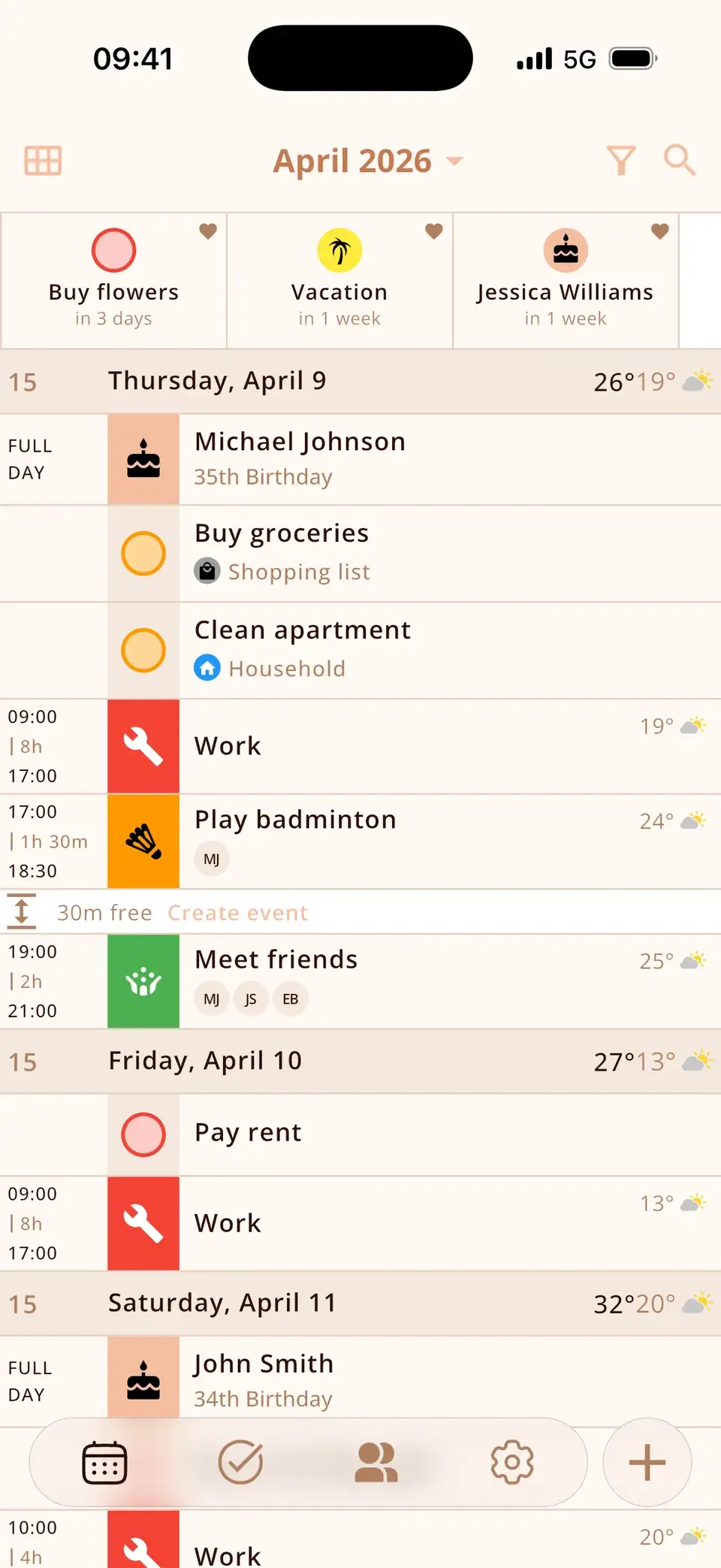
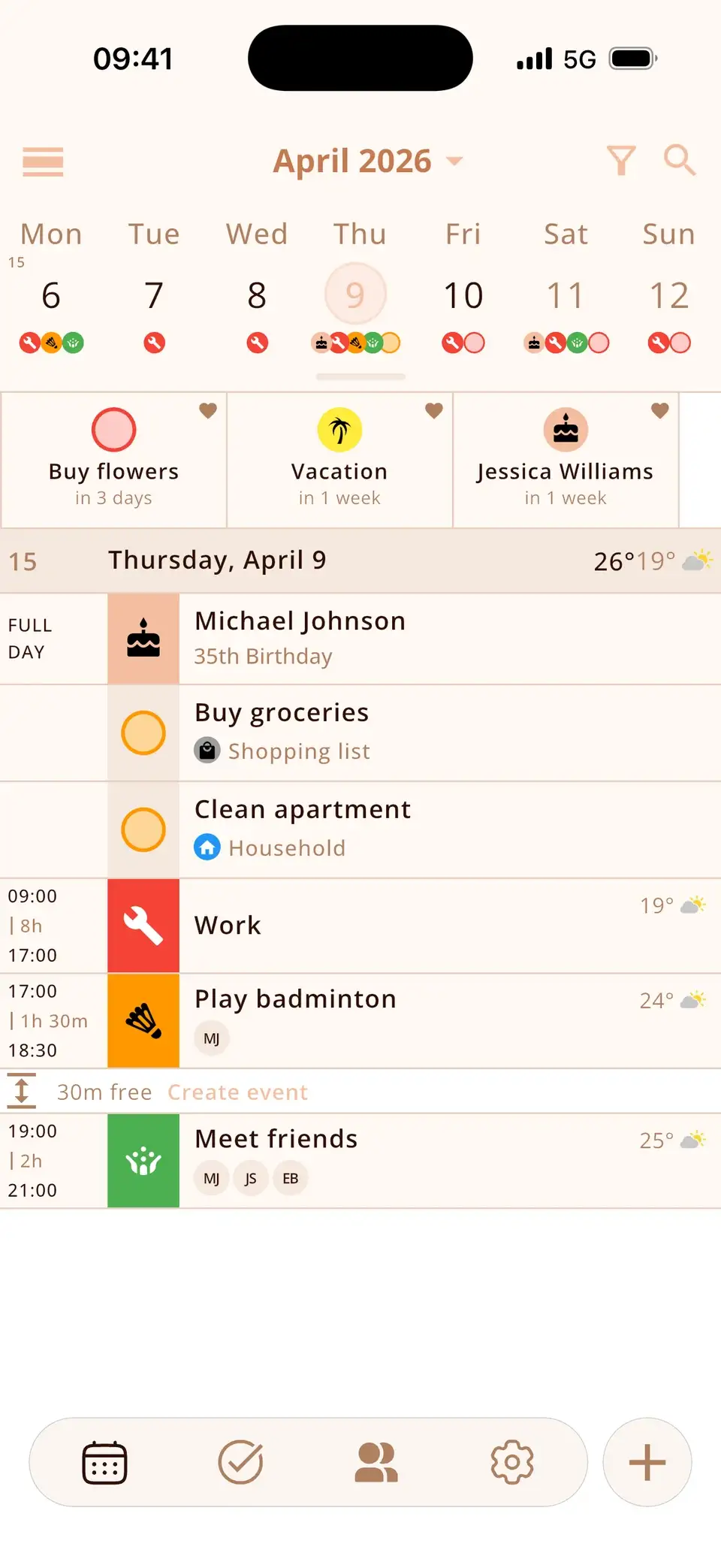
Miracal is the planner for people who already have calendars – and don't want to rebuild them in a new app. It reads the iCloud, Google and Outlook calendars on your phone (two-way), shows your tasks between your events, adds the birthdays from your contacts with the age they're turning, and puts countdowns to what you're looking forward to at the top. Every event gets a matching icon, and widgets bring your day to the home screen.
No account, no ads. The free version syncs one calendar and up to 10 open tasks; PRO costs $29.99 a year or $79.99 once. Less ideal if you want to block your day minute by minute or need an iPad, Mac or web app – there is none.
Which planner app is right for you?
- You plan your day hour by hour: Structured.
- Planning stresses you out, or you have ADHD: Tiimo – or Miracal, if you mainly need to see everything at a glance.
- Your to-do list runs your life: TickTick or Todoist.
- You want free and simple: Google Calendar with Tasks, or Apple Calendar with Reminders.
- You want your calendars, tasks, birthdays and countdowns together, on iPhone and Android, without an account: Miracal.
Try Miracal for free
Calendar, tasks, birthdays and weather in one app – no account, no ads.


Frequently asked questions
What is the best free planner app?
Google Calendar with Google Tasks and Apple Calendar with Reminders are completely free. Structured, Tiimo, TickTick, Todoist and Miracal all have free versions with limits; Miracal's free version has no ads and needs no account.
What's the difference between a planner app and a calendar app?
A calendar app shows appointments. A planner app also plans tasks and routines into your day. Miracal sits in between: it shows your existing calendars together with tasks, birthdays and countdowns, so you don't need a second app.
Which planner apps work on iPhone and Android?
Structured, Tiimo, TickTick, Todoist, Google Calendar and Miracal run on both. Apple Calendar is only available on Apple devices.
Which planner app is best for ADHD?
Tiimo is built specifically for neurodivergent people. Visual apps with icons, a clear day view and widgets – such as Structured or Miracal – help many people with ADHD, too.
Your whole day on one screen.
Free for iPhone and Android – no account, no ads.
Free download · iPhone & Android