
Miracal vs. Fantastical
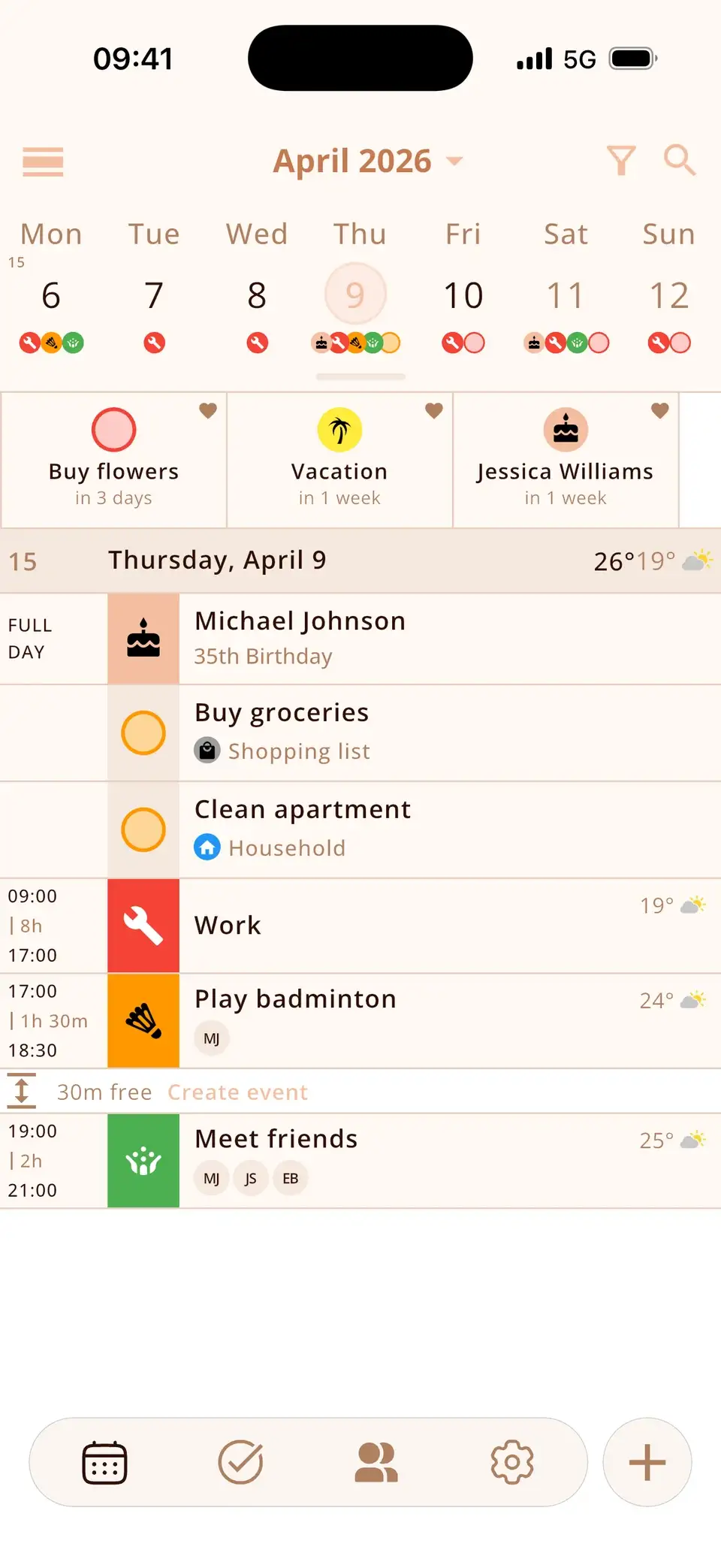
Fantastical is the power tool for people who plan on iPhone, iPad and Mac and love typing events in plain language. Miracal is a phone app for iPhone and Android that puts your calendars, tasks, contact birthdays and reminders to stay in touch with friends into one timeline – without an account, with a one-time lifetime option. If you need a Mac app, take Fantastical. If you are on Android or care more about tasks and people than about desktop planning, take Miracal.
Fantastical vs. Miracal at a glance
| Fantastical | Miracal | |
|---|---|---|
| iPhone | Yes | Yes (iOS 15+) |
| Android | No | Yes (Android 9+) |
| iPad, Mac, Apple Watch | Yes | No |
| iCloud, Google and Outlook calendars | Yes | Yes, two-way via the phone’s accounts |
| Natural-language input | Yes, its signature feature | No; icons are added automatically while you type |
| Tasks | Apple Reminders and connected task services | Own task lists with priorities and subtasks; two-way Apple Reminders sync |
| Birthdays from contacts with age | Via the Birthdays calendar | Yes, with age and reminder |
| Reminders to stay in touch with friends | No | Yes |
| Weather in the calendar | Yes | Yes (PRO) |
| Account | Flexibits account for Premium | None |
| Price model | Free basic version; Premium subscription | Free version; PRO subscription or one-time lifetime purchase |
Where Fantastical is the better choice
Fantastical has been one of the best-known calendar apps for Apple devices for years. Its natural-language input (“Lunch with Anna Friday 1pm”) is excellent, the Mac app is outstanding, and features like calendar sets and scheduling proposals help people who plan a lot of meetings. If you work on a Mac or iPad as much as on your iPhone, Miracal can’t replace that: there is no Miracal for iPad, Mac, Apple Watch or the web.
Where Miracal is the better choice
- Android: Fantastical is Apple-only. Miracal runs on iPhone and Android with the same features.
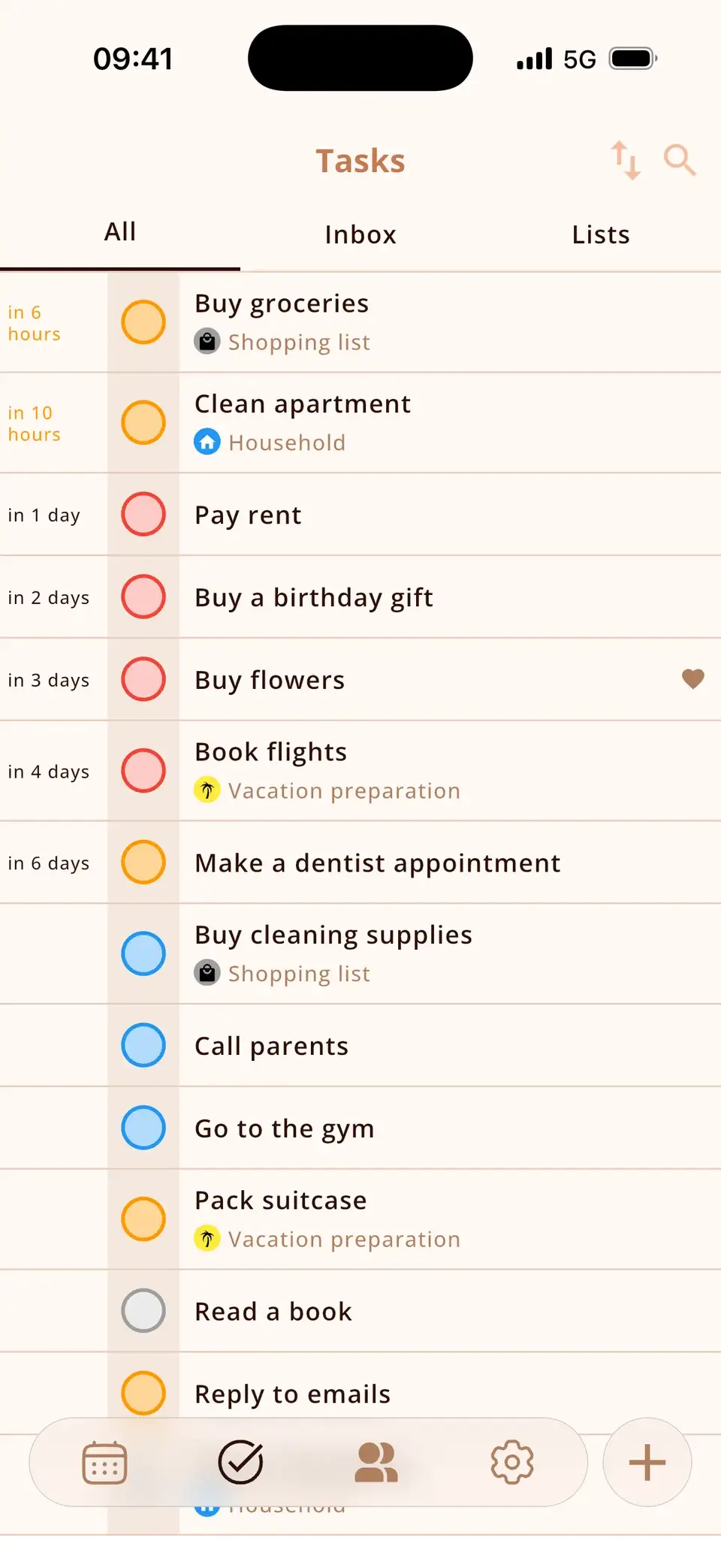
- Tasks in the same timeline: Miracal has its own task lists with priorities, due dates and subtasks, shown between your events – and syncs both ways with Apple Reminders on iPhone.
- People: birthdays from your contacts appear with age, and Miracal reminds you when you haven’t seen a friend for a while.
- No account: Miracal works with the calendars already on your phone and keeps its own data on the device.
- Pay once if you like: besides monthly and yearly plans, Miracal PRO is available as a one-time lifetime purchase ($79.99).
Switching is painless
Both apps read the calendars that are set up on your phone (iCloud, Google, Outlook/Exchange). Nothing has to be imported or exported: install Miracal, allow calendar access, and your events are there. You can even run both apps side by side.
Try Miracal for free
Calendar, tasks, birthdays and weather in one app – no account, no ads.


Frequently asked questions
Is there Fantastical for Android?
No. Fantastical is only available for Apple devices. Miracal is an alternative that runs on both iPhone and Android.
Is Miracal cheaper than Fantastical?
Miracal is free to use with one synced calendar and up to 10 open tasks. PRO costs $29.99 per year or $79.99 once. Fantastical also has a free basic version; its Premium features need a Flexibits subscription.
Does Miracal understand natural language like Fantastical?
No. Miracal adds a matching icon while you type a title (in 22 languages), but date and time are set with pickers, not parsed from the text.
Calendar, tasks and friends – on iPhone and Android.
Free, no account, no ads.
Free download · iPhone & Android