
Tasks
 Tasks
TasksYour to-do list and your calendar in one app
In Miracal, tasks with a due date appear in your calendar next to your appointments. Lists, priorities, subtasks and – on iPhone – Apple Reminders sync included.


Free download · iPhone & Android
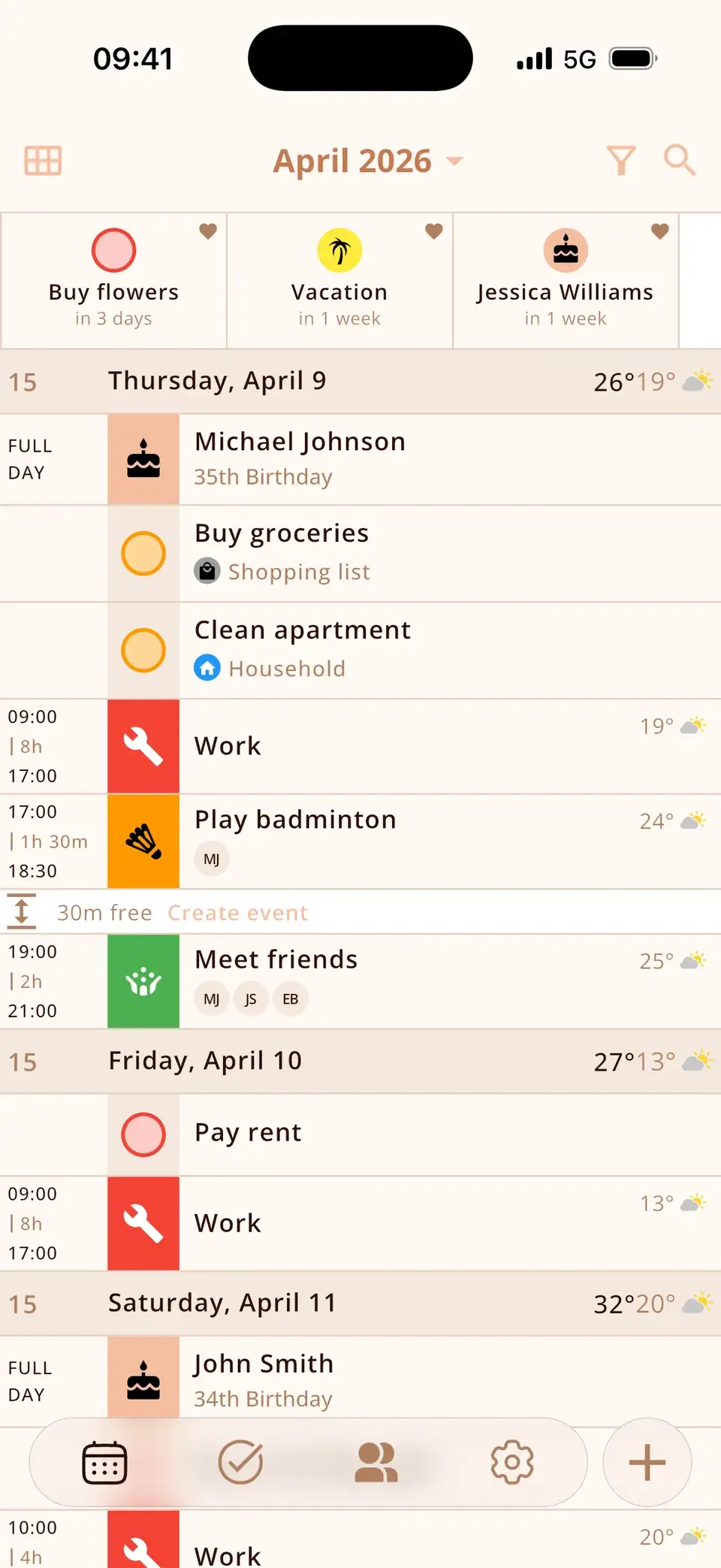
Tasks with a deadline land right in your calendar
Give a task a due date and it shows up on that day – right at the top, above your appointments. No switching between a to-do app and a calendar.
- With a due date: on the day it's due
- At the top of the day, before your events
- Without a date: stays in your list
- Tick it off right in the calendar
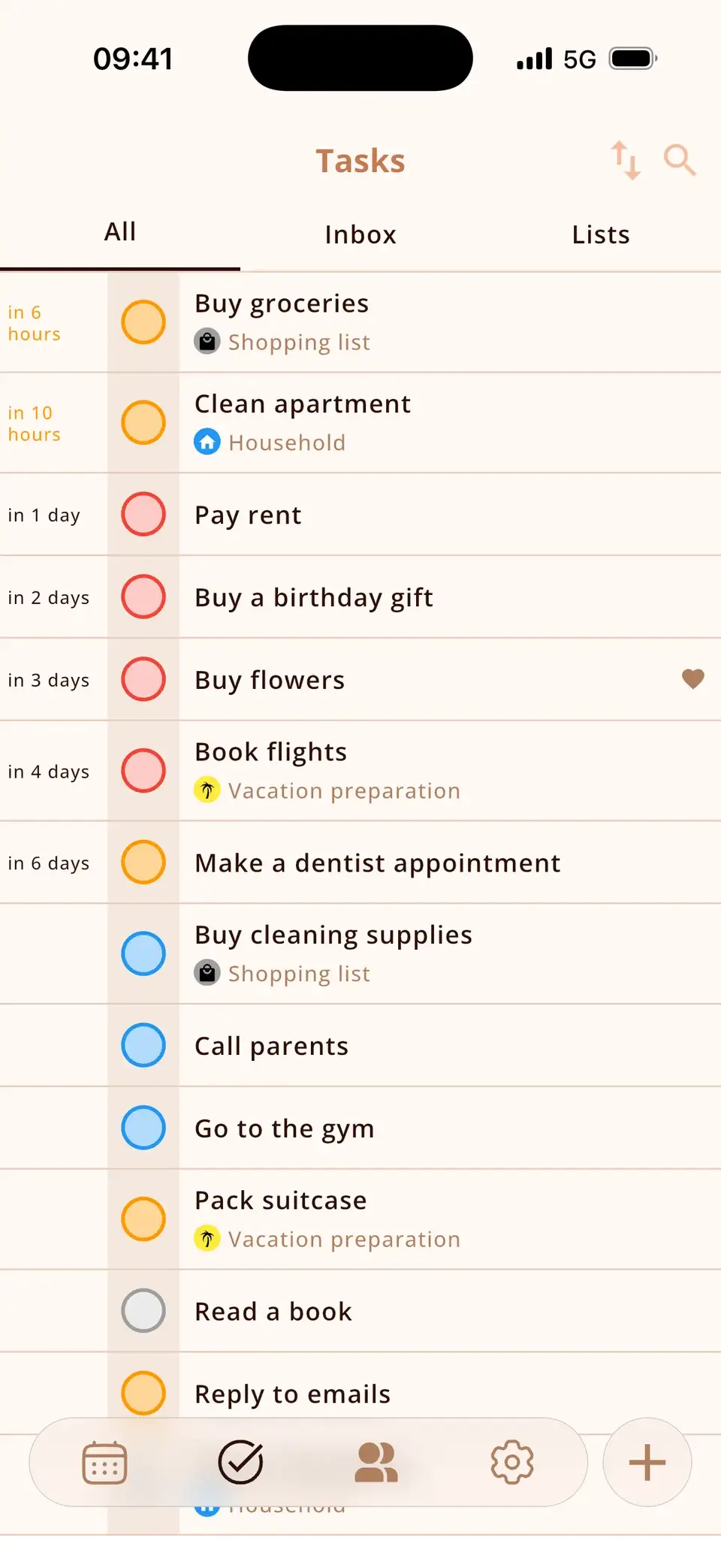
Lists, priorities and subtasks
Organise tasks the way you think.
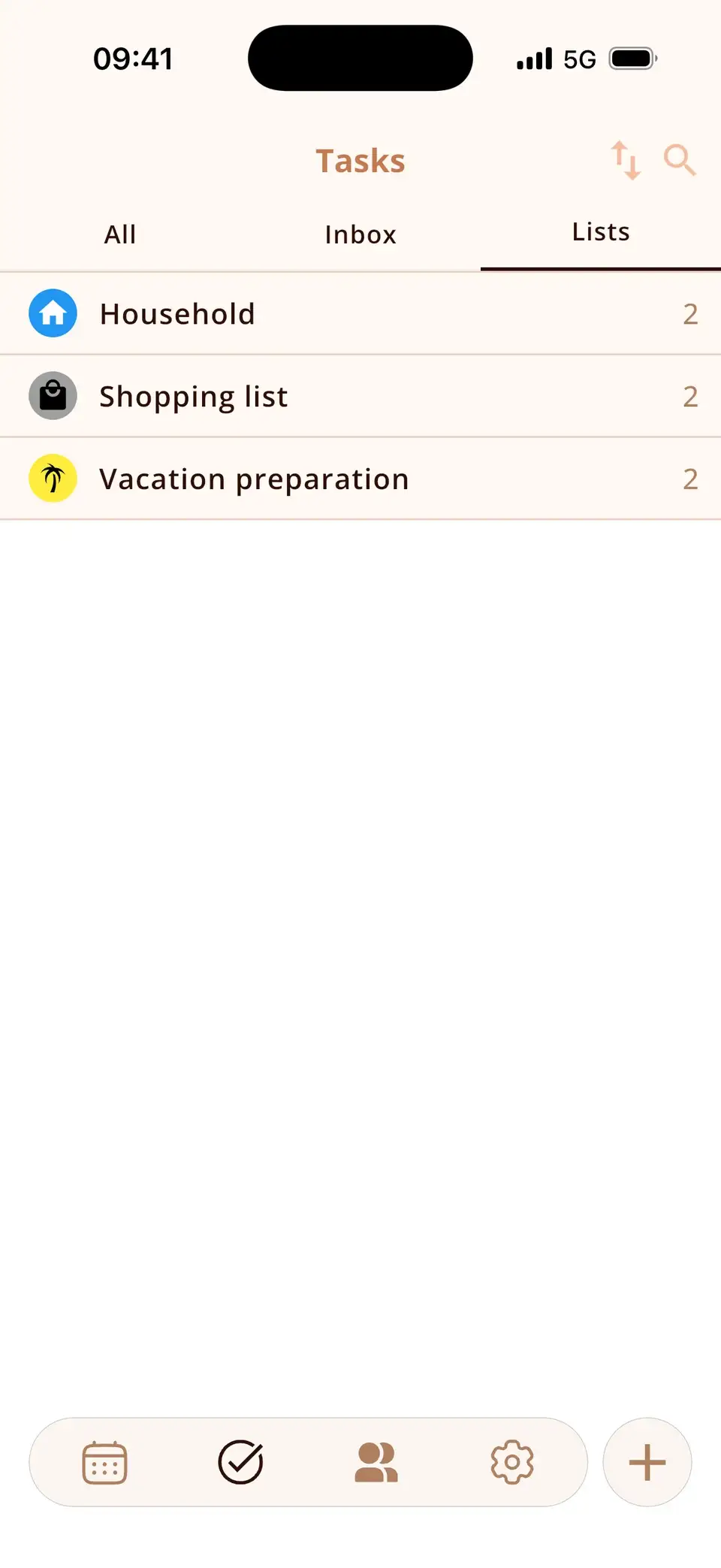
- Lists with icons and colours
- Priorities and sorting
- Subtasks, notes and locations
- Recurring tasks (PRO)
Synced with Apple Reminders
On iPhone, connect a Reminders list and it syncs both ways – Siri and your Mac keep working. How it works
At a glance
Deadlines in view
Due date, priority, notes and a reminder – right next to your events.
Lists for everything
With icon and colour.
Start free
open tasks in the free version, unlimited with PRO
10
Apple Reminders
Two-way sync (iPhone).


Subtasks
Break big jobs into small steps.
Sort & organise
- Priority
- Name
- Due date
- With time
- With location
- Recurring (PRO)
Reminders
- Freeat the due time
- PROseveral, even days ahead
Good to know
- The free version holds up to 10 open tasks; PRO is unlimited.
- Recurring tasks and early or multiple reminders are part of PRO.
- No Microsoft To Do or Google Tasks sync.
Details & how-to
How do tasks appear in the calendar?
A task with a due date shows up on that day in your calendar, at the top above your events. Tasks without a date stay in their list. Tick a task off right in the calendar; open tasks you haven't finished stay visible so nothing slips through.
Lists, priorities and sorting
- Lists with their own icon and colour – for example Shopping, Work, Home.
- Four priority levels: none, low, medium, high.
- Sort by priority, name or due date.
- Notes, a location and a reminder for every task.
- Subtasks to break bigger jobs into steps.
Using Apple Reminders at the same time
On iPhone, Miracal can sync one Reminders list in both directions – including Siri, Mac and Apple Watch. Each task has a switch to keep it in Miracal only. Subtasks stay in Miracal. How the Reminders sync works.
Free or PRO?
Free: up to 10 open tasks with one reminder at the due time. PRO: unlimited tasks, recurring tasks, several reminders and reminders ahead of time (5 minutes to a week before, or custom).
What users say
“Everything you need – well organised, very intuitive. I love it!”
Translated from Spanish
“All my appointments, to-dos and birthdays at a glance! Great!”
Translated from German
Selected reviews from the App Store and Google Play. Excerpts are verbatim; translations are ours.
Frequently asked questions
Do tasks show up in the calendar?
Yes. Any task with a due date appears on that day in your calendar. Tasks without a date stay in your lists.
Can Miracal sync with Apple Reminders?
Yes, on iPhone, in both directions, for one Reminders list. Subtasks are not synced.
How many tasks can I create for free?
Up to 10 open tasks at a time; completed tasks don't count. PRO has no limit.
Are there subtasks and recurring tasks?
Subtasks are included for everyone. Recurring tasks are part of PRO.
Plan tasks where your day happens.
Free for iPhone and Android – no account, no ads.
Free download · iPhone & Android