
Google Calendar vs. Apple Calendar
Take Google Calendar if you use Android or Windows, share calendars with people outside the Apple world or work with Gmail and Google Meet. Take Apple Calendar if your life runs on iPhone, iPad and Mac and you like Siri, Mail and Maps working together. Both are free – and you don't have to choose: an iPhone shows Google and iCloud calendars side by side.
Google Calendar and Apple Calendar at a glance
| Google Calendar | Apple Calendar | |
|---|---|---|
| Price | Free | Free |
| Devices | Android, iPhone, iPad, any browser | iPhone, iPad, Mac, Apple Watch; iCloud.com in a browser |
| Account | Google account | Apple Account with iCloud |
| Sharing | With anyone who has a Google account, or as a public link | With other iCloud users, or as a public link anyone can subscribe to |
| Tasks | Google Tasks inside the calendar | Reminders inside the calendar (iOS 18 and later) |
| Email and video calls | Events from Gmail, Google Meet links | Works with Mail, Siri and Maps; FaceTime links |
| Booking page for others | Yes (appointment schedules) | No |
| Birthdays | From Google Contacts | From the Contacts app |
Where Google Calendar wins
- Every device: Android, iPhone and any computer with a browser – handy if your family or office isn't all-Apple.
- Sharing: share a calendar with anyone who has a Google account and decide who can see or edit it.
- Gmail and Meet: flights and reservations from Gmail land in the calendar on their own, and video calls get a Meet link with one click.
- Booking pages: with appointment schedules, others can book a free slot with you.
Where Apple Calendar wins
- Already there: no extra app, no Google account – it works with your Apple Account.
- Apple ecosystem: Siri creates events, Mail suggests them, Maps adds travel time, and everything shows on your Apple Watch.
- Reminders in the calendar: since iOS 18 your reminders appear next to your events.
- Simple: a calm, uncluttered app that does the basics well.
Use both on your iPhone
Many people end up with both: Google Calendar for work or the family, iCloud for personal things. The iPhone can show them together:
- Open Settings → Apps → Calendar → Calendar Accounts (on iOS 17: Settings → Calendar → Accounts).
- Tap Add Account → Google and sign in.
- Turn on Calendars.
Your Google events now appear in Apple Calendar next to iCloud, and changes sync both ways. Google-only features such as appointment schedules stay in Google's own app. Step-by-step guide
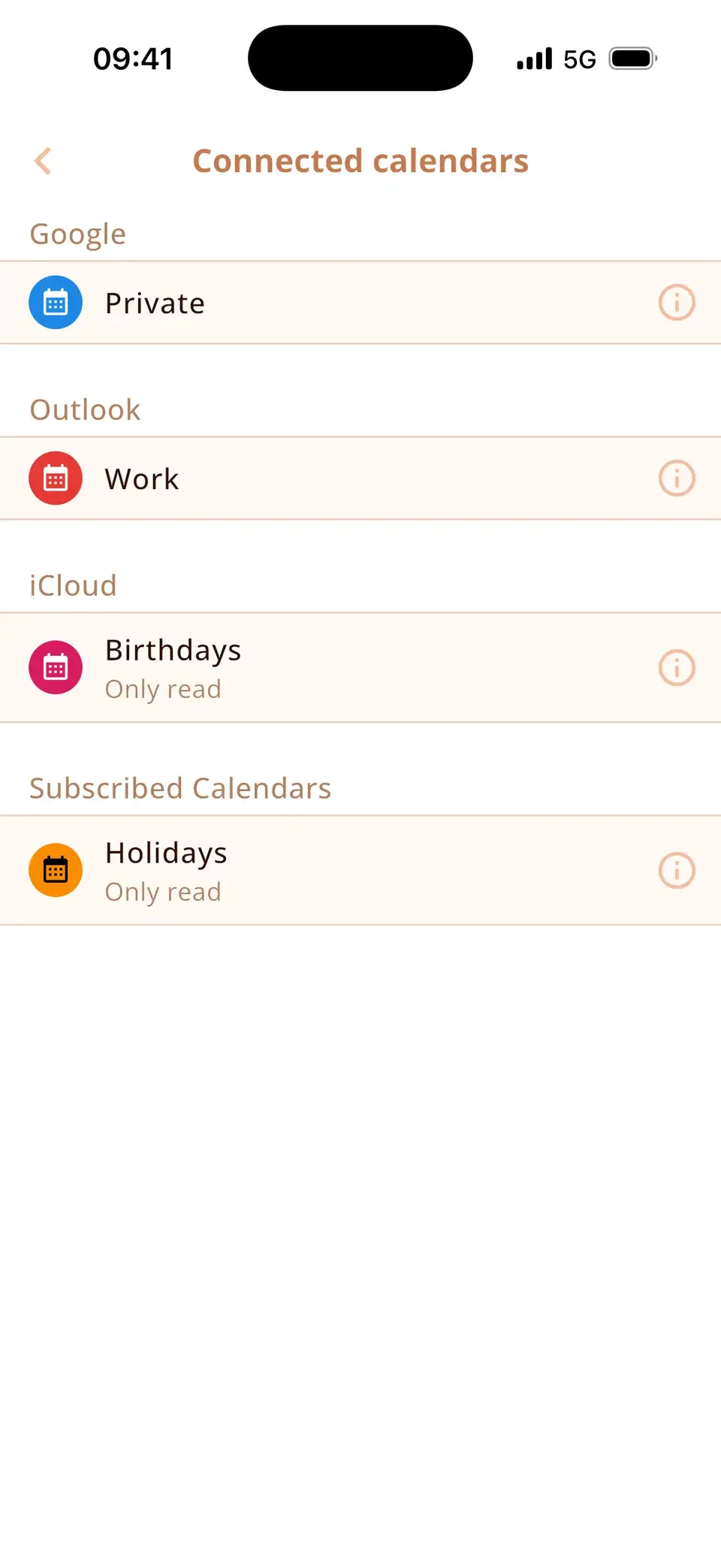
Or one app for both: Miracal
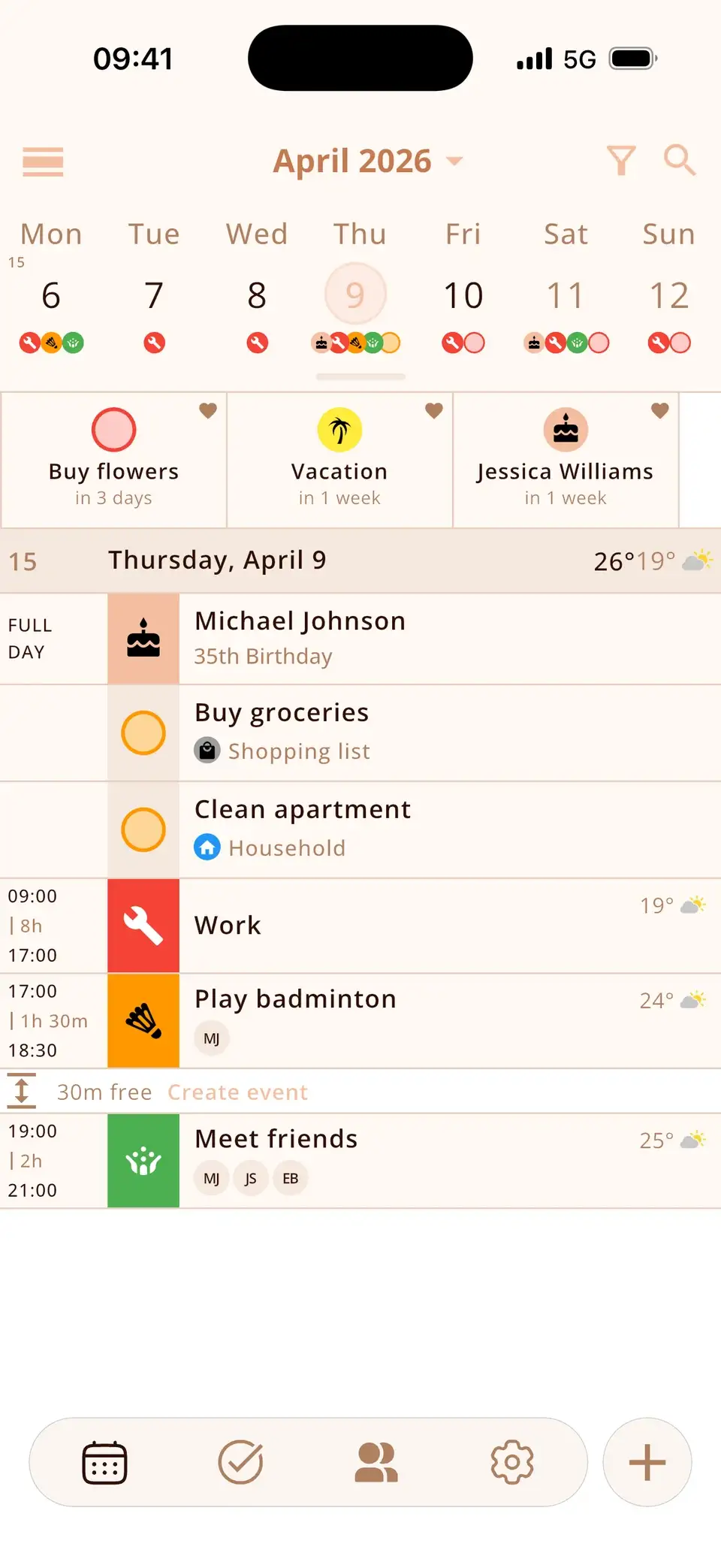
Miracal shows Google, iCloud and Outlook calendars side by side – with a matching icon for every event, your tasks in between, the birthdays from your contacts and countdowns to what's coming. It runs on iPhone and Android, needs no account and has no ads.
Honest note: the free version syncs one calendar. To see Google and iCloud together in Miracal you need PRO ($29.99 a year or $79.99 once).
Try Miracal for free
Calendar, tasks, birthdays and weather in one app – no account, no ads.


Frequently asked questions
Is Google Calendar better than Apple Calendar?
Neither is better overall. Google Calendar is stronger for sharing across devices and for Gmail users; Apple Calendar is the simpler choice if you only use Apple devices. Both are free.
Can I use Google Calendar and Apple Calendar at the same time?
Yes. Add your Google account on the iPhone under Settings → Apps → Calendar → Calendar Accounts. Apple Calendar – and apps like Miracal – then show both.
Is there Apple Calendar for Android?
No. On Android you can open iCloud calendars in a browser at iCloud.com, or share an iCloud calendar as a public link that Android calendar apps can subscribe to (read-only).
Which calendar is better for families?
If everyone has an iPhone, a shared iCloud calendar is the easiest. In mixed families with Android phones, a shared Google calendar works better, because everyone can use it.
Google and iCloud in one calendar.
Free for iPhone and Android – no account, no ads.
Free download · iPhone & Android