
Diary
 Diary
A diary app that lives in your calendar
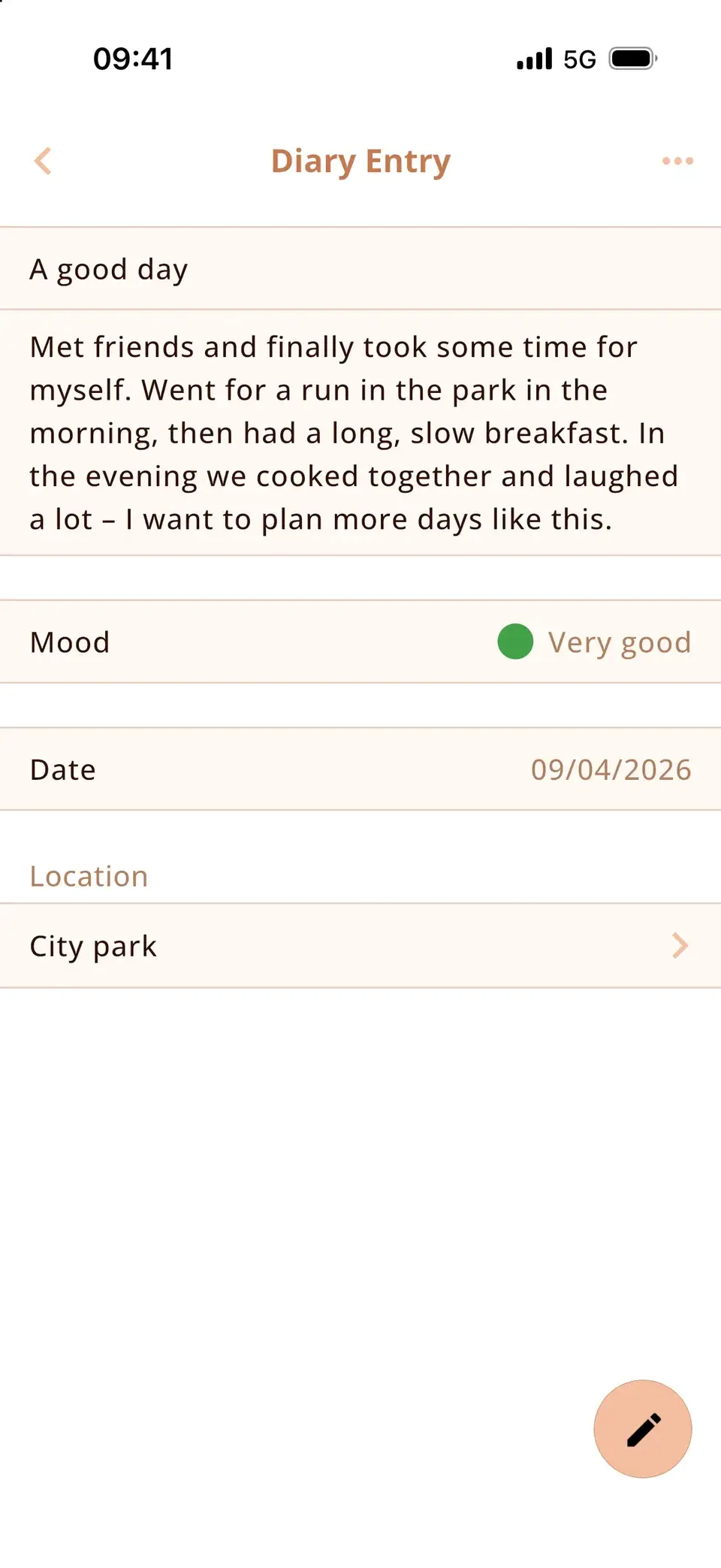
Miracal has a diary built in: for each day you write one entry – with a title, your text, a mood from “very good” to “very bad” and the place. The entry sits in your calendar next to that day’s events, so you see what you did and how you felt. Free for 7 entries a month, unlimited with PRO.


Free download · iPhone & Android
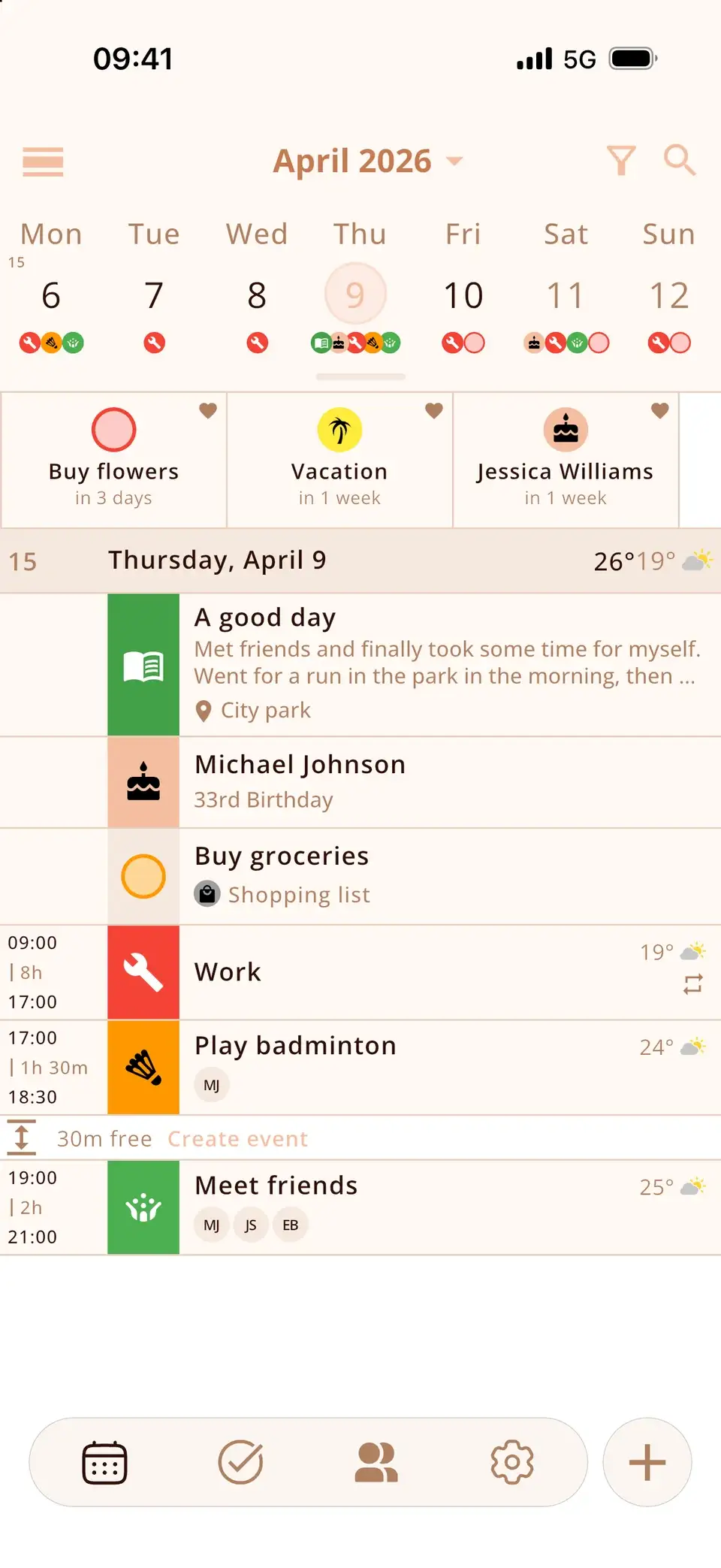
Your day, right next to your events
Every entry appears in the calendar on its day – with a book icon, the title, the first lines of text and the place. Look back at a week and you see the appointments and how the day really went, side by side.
In the settings you choose whether the calendar shows the mood colour and the text preview, and whether the diary comes before or after events, tasks and birthdays.
A mood tracker in one tap
Pick one of five moods, from very good to very bad. The colour tints the entry’s icon in the calendar – so a glance at the week shows how your days felt. Without a mood the icon stays grey.
Try it: tap a mood.
Mood
Written in seconds
Tap the plus button and choose Diary, long-press the Miracal icon, or start a new entry straight from the lock screen with the New Diary Entry widget. From iOS 18 there is also a control for Control Center and the Action button.
Forgot yesterday? Simply change the date of an entry.


Private by design
Your entries are stored only on your device. Miracal has no cloud of its own and no account – nothing is uploaded, nothing is read.
- Stored on your phone only
- No account, no ads
- Photos and files with PRO
- iPhone and Android
Good to know
- One entry per day. If you write a second one for the same day, Miracal asks whether to replace the first.
- Free: up to 7 new entries per month. PRO has no limit – and you can always edit the entries you already have.
- Entries are not synced between devices and have no Miracal cloud backup. A backup or transfer of your phone takes them along; a switch between iPhone and Android does not.
- There is no separate diary lock – protect your phone with a passcode, Face ID or fingerprint.
Frequently asked questions
Is there a free diary app with a mood tracker?
Yes – Miracal. The diary is part of the free version: up to 7 entries a month, each with a mood from very good to very bad. PRO removes the limit and lets you add photos.
How do I write a diary entry?
Tap + and choose Diary – or use the lock-screen widget or the quick action on the app icon. Add an optional title, write your text, pick a mood and a place. The entry then appears in your calendar on that day.
Can I add photos to a diary entry?
Yes, with Miracal PRO you can attach photos from the camera or gallery as well as files – to diary entries, events and tasks.
Are my diary entries private?
Your entries are stored only on your device and are not uploaded to any cloud. There is no separate lock for the diary, so protect your phone with a passcode, Face ID or fingerprint.
Can I write an entry for a past day?
Yes. Set the date of the entry to any day – handy if you want to catch up on yesterday.
Does the diary work on Android?
Yes, the diary works on iPhone and Android. The lock-screen widget and the Control Center control are iPhone-only.
Keep every day – not just the appointments.
Free for iPhone and Android.
Free download · iPhone & Android